Run RTSP Demo
Prerequisites
Before running rtsp_demo, you first need to:
-
Install AVT SDK on your device:
See AVTSDK Environment Setup for details. The installation script will install everything you need.
-
Connect the cameras to the device
Run the Demo
This demo demonstrates how to create a simple RTSP stream pipeline using AVT SDK. The video will be streamed over the network, which can be viewed using media player softwares like PotPlayer or VLC media player.
What is RTSP?
RTSP (Real Time Streaming Protocol) is a network protocol designed for streaming media systems. In this demo, the device acts as an RTSP server, streaming video from the connected camera to the client, such as the media player in this guide.
Steps
-
Create a script
init.shto configure the Wayland display environment1 for the demo:Then you can source the script in your terminal:
-
Run the RTSP demo application. The application is installed to
/usr/bin, so you can run it directly with the following command: -
The application will prompt you to select the settings as shown in Run Record Demo, with additional options for configuring the RTSP service. You may select each setting, including both the RTSP name and RTSP port, according to your preference. These values will be used to construct the RTSP URL in the format:
rtsp://<ip>:<port>/<name>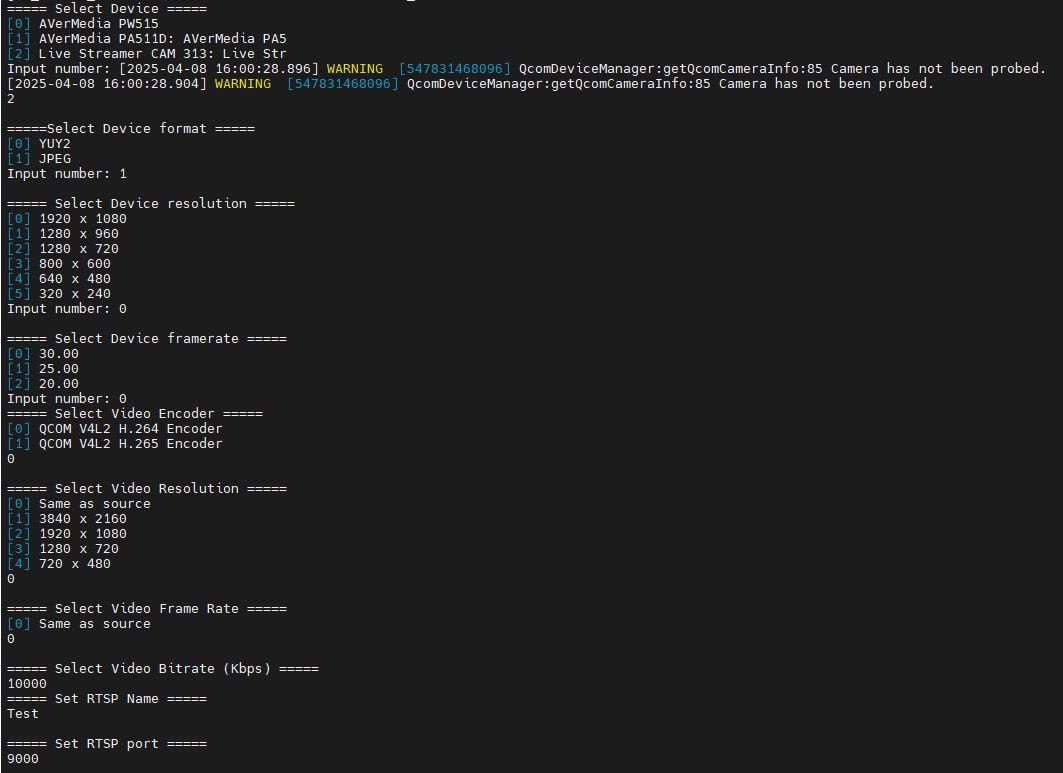
Settings for the camera and the RTSP service.
Warning
The video bitrate must be between 100 and 100000.
Also, ensure the RTSP port you enter is not already in use.
-
After setup, the RTSP stream will start. You may use a media player on your PC to view the stream. Here we take PotPlayer for example:
-
Open the PotPlayer menu, and choose Open > Open URL.
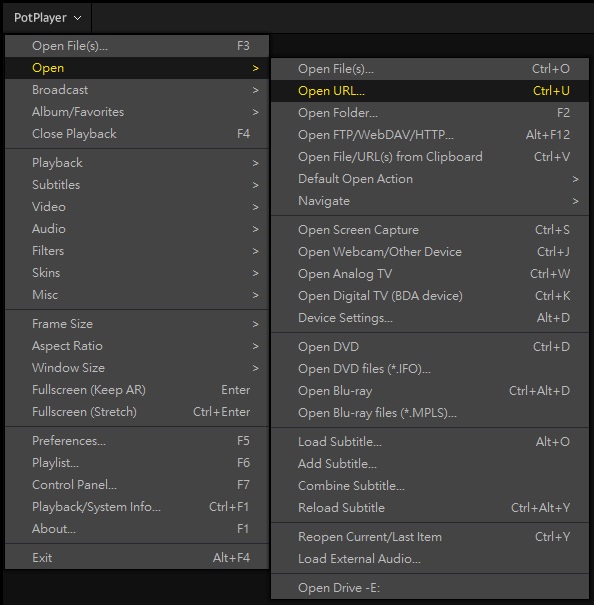
-
Enter the URL
rtsp://<ip>:<port>/<name>, where<ip>is the IP address of the device, and<port>and<name>are the RTSP port and RTSP name you have set before, respectively. Click OK to open the stream.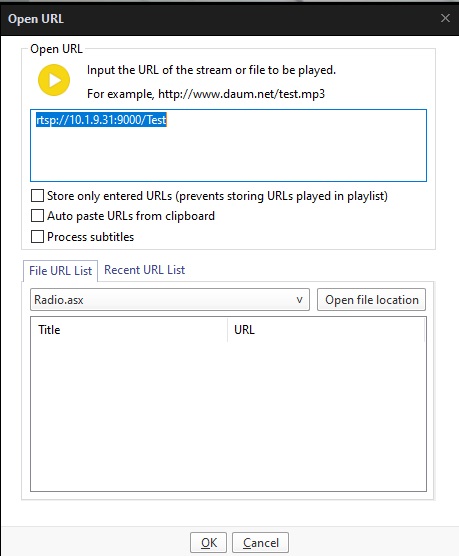
About device IP address
You can find the IP address of your device using the
ifconfigcommand in the terminal. Make sure your PC and the device are on the same network. -
You should be able to see the RTSP stream on the PotPlayer.
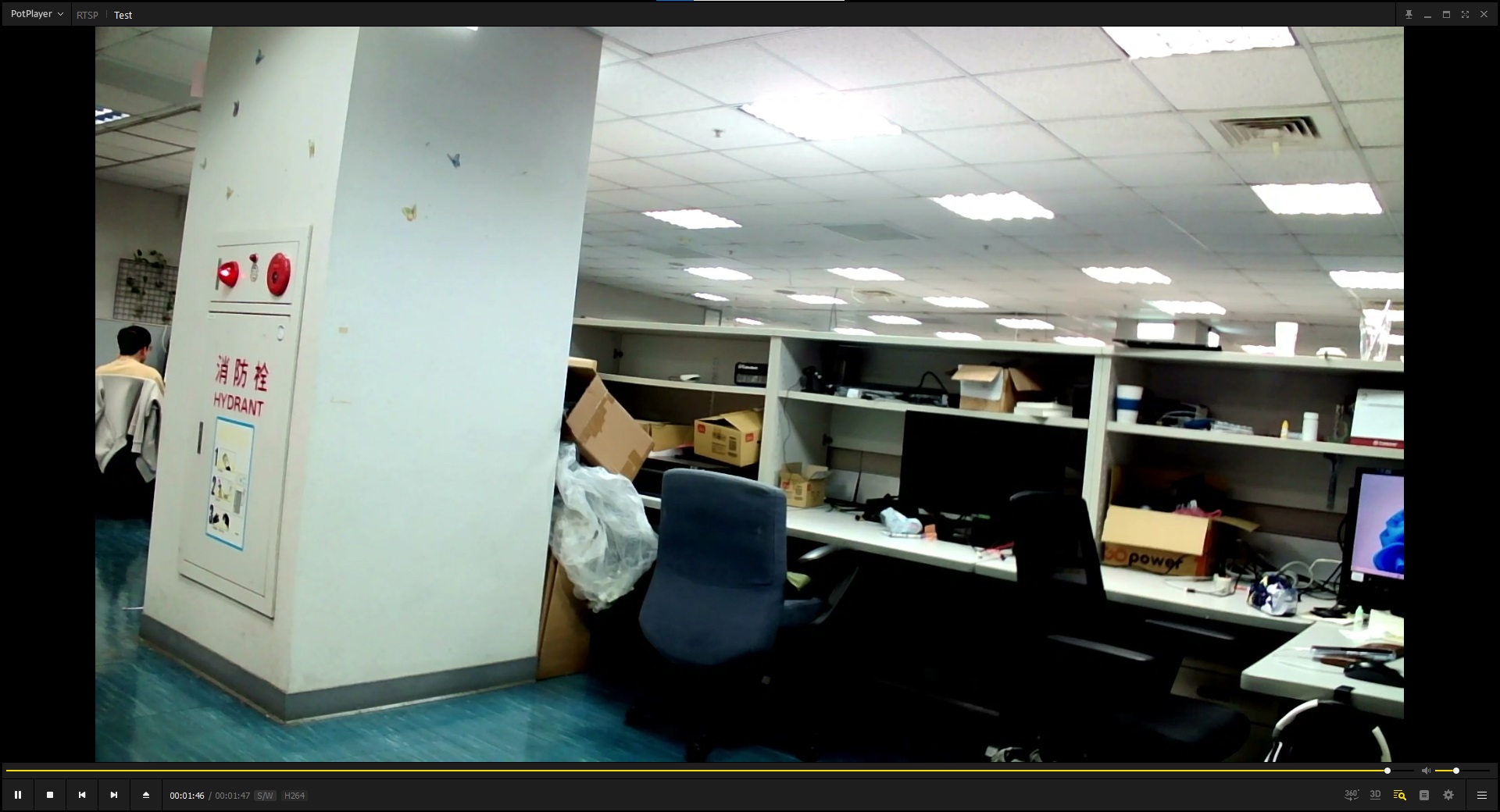
-
-
The Wayland environment variables are required for all the demos, even when there's no visual display output, as they are essential for proper initialization of some underlying AVT SDK components and plugins. In general, it is recommended to always set them to prevent any potential issues. ↩