Teach the Robot by Showing It: GR00T on the SenseEdge Kit
NVIDIA Isaac GR00T turns a modest set of hand-guided demonstrations into an arm that runs the task on its own. Here's how the whole thing fits together, and the trade you're making.
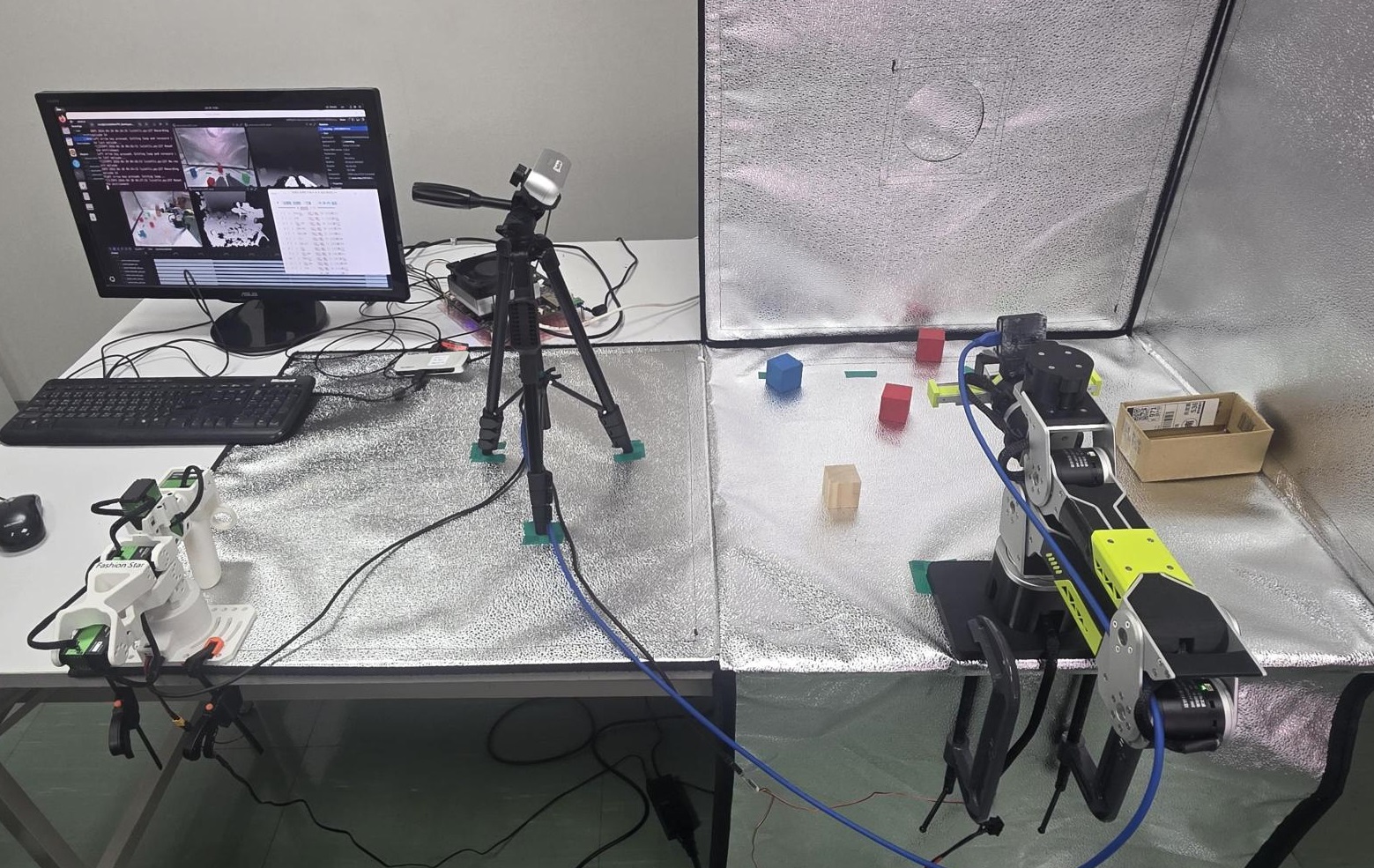 The full setup: the leader arm on the desk (left), the follower arm in the light tent (right), the overhead front camera, and the compute hardware beside the monitor.
Every conventional way to make a robot arm do something comes down to the same thing: you tell it how to move — work out the joint angles, plan the path, or record a motion and play it back. NVIDIA Isaac GR00T flips that around. You show the arm what you want, guiding it through the task by hand a handful of times, and it works out the how from what its cameras see.
You can teach a robot arm by demonstration instead of programming, and the only hard part left is hardware integration, which AVerMedia has already solved. GR00T N1.7 is what removes the programming barrier: an open vision-language-action (VLA) model that takes a written instruction plus camera images and outputs the continuous movements a robot needs to act. AVerMedia's SenseEdge Kit is what removes the integration barrier: the camera-and-compute stack from this build, pre-validated and ready to deploy.
GR00T pays off for varied, visual tasks — and loses to classic methods for fixed, precise ones
You don't have to use GR00T to control the arm, and often you shouldn't. At one end of the spectrum are classic approaches: inverse kinematics and motion planning (tools like MoveIt), or "teach and repeat," where the arm replays a recorded motion. GR00T sits at the far end: a pretrained model with broad manipulation knowledge that you nudge toward your robot and task with a small set of your own data.
That far-end approach pays off when:
- You want one system to do many tasks. GR00T responds to plain language, so you describe what to do instead of building a separate program for every task.
- The task is driven by what the robot sees. Floppy objects, messy scenes, and visual alignment are painful to handle with hand-written rules but come naturally to a model that learns from images.
- You'd rather show the robot than program it. A modest set of demonstrations is usually enough, and the model handles objects in new positions far better than a narrow, single-purpose program.
GR00T isn't always the right tool. It's a large model (around three billion parameters) that needs real computing power to run in real time. For fixed, repetitive, high-precision motion, classic math-based methods are more reliable, faster, and easier to verify. The rule of thumb: the more varied and vision-driven your task, the more GR00T earns its keep.
Two camera views beat one — and their names must match everywhere
This build uses two views: a wrist camera on the arm for close-up detail at the gripper, and a front camera giving a wider view of the workspace. Together they make the robot more dependable than either alone. The wrist camera is a RealSense D405 — small enough to mount on the arm without adding swing weight, and close-range enough to see exactly where the gripper meets the object. The front camera is a RealSense D457 — a global-shutter camera that eliminates motion blur on fast arm movements, with a connector built for long industrial cable runs so it stays put even when cables are being routed around a busy workspace. These two cameras are also the pair at the heart of AVerMedia's SenseEdge Kit (more on the full integrated stack at the end of this post).
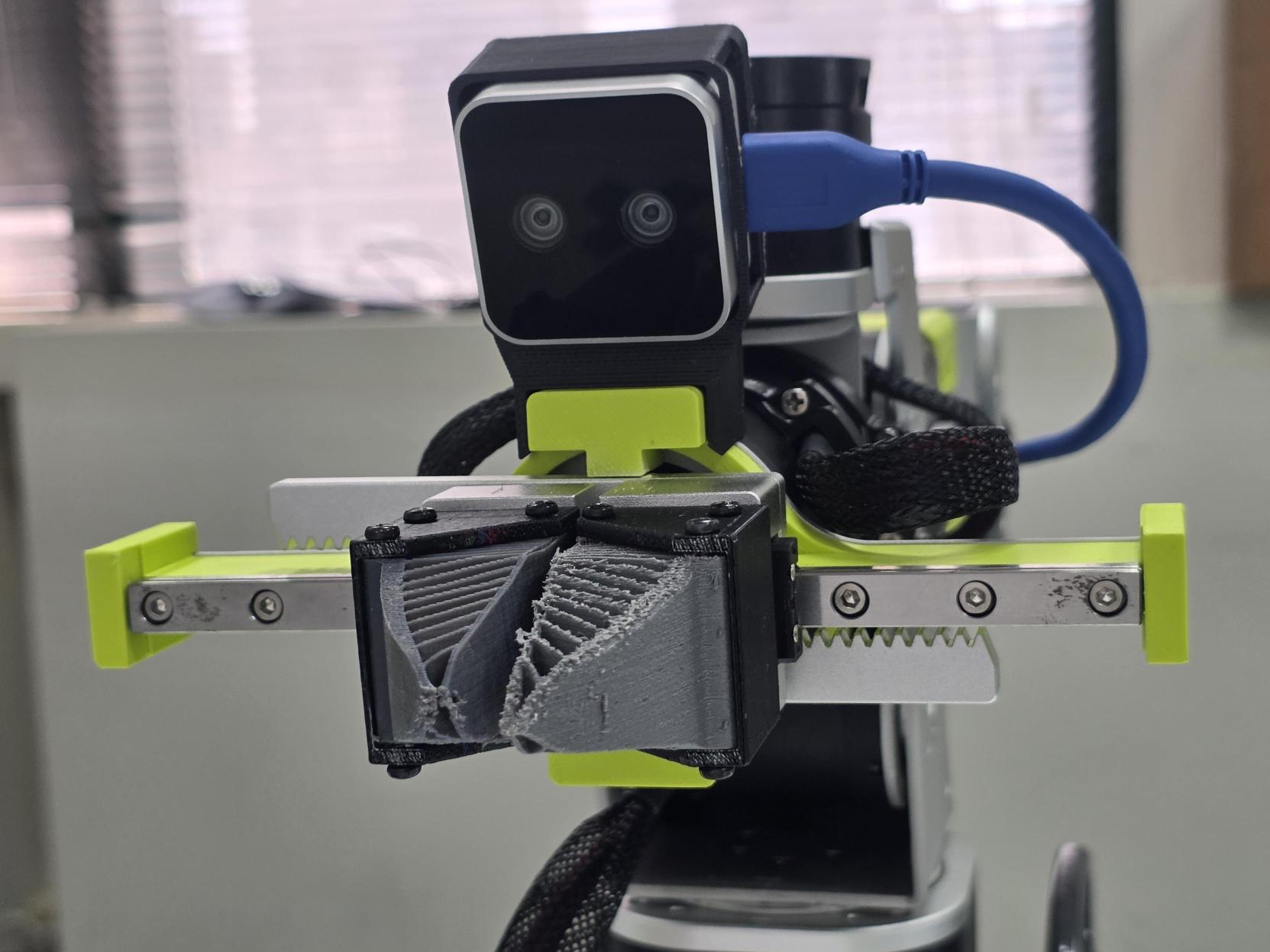
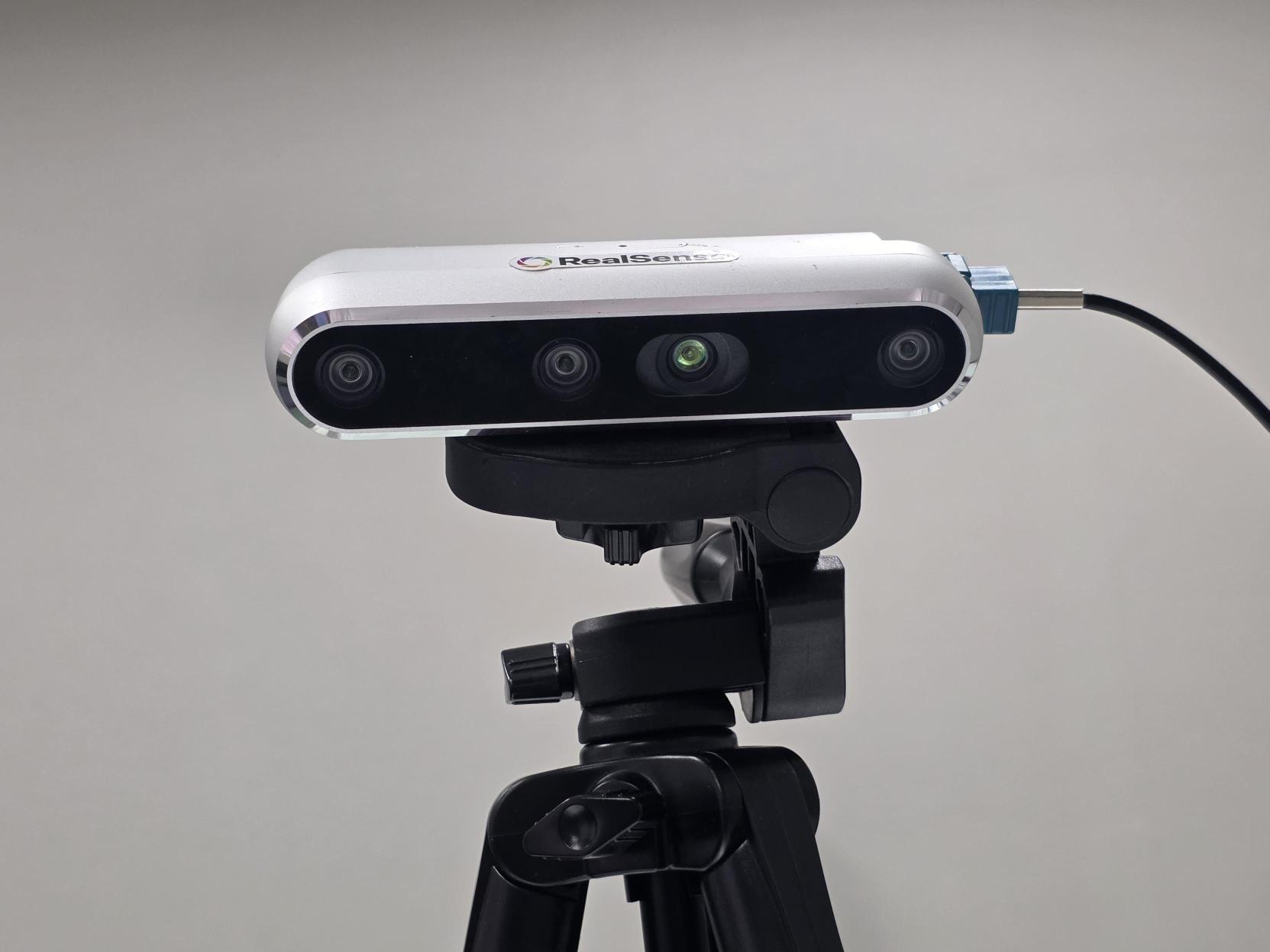
The front camera must be mounted just as rigidly as the arm. Fix it to a stable overhead stand or wall bracket, run the cable so it can't tug the mount, and treat its position as permanently fixed for the life of a trained policy. The wrist camera is bolted to the arm and takes care of itself; the front camera is entirely up to you.
One detail that's easy to overlook and quietly fatal: the names you give the cameras during recording must match the names the model expects, exactly. A mismatch is the single most common quiet failure. Pick names early (say, wrist and front) and keep them identical everywhere.
A shifted arm or camera breaks everything the robot learned — lock both down before you record
Clamp the follower arm to the table with a pair of C-clamps. If it shifts between recording demonstrations and running the policy, the geometry between the cameras and arm changes, and what the robot learned no longer matches what it sees.
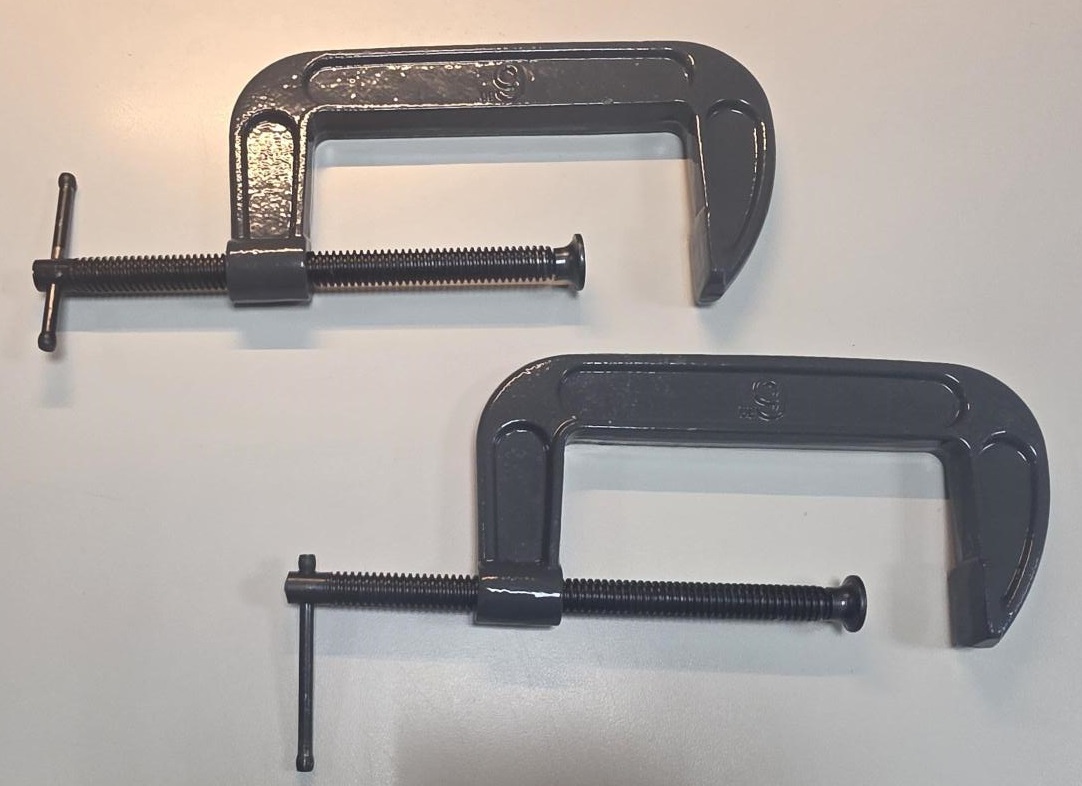 A pair of C-clamps holding the follower arm rigidly to the table edge.
This setup uses two arms: the leader arm, which you move by hand to demonstrate the task, and the follower arm, which mirrors the leader, handles objects, and carries the wrist camera. Both must be calibrated so they report the same numbers at the same physical pose.
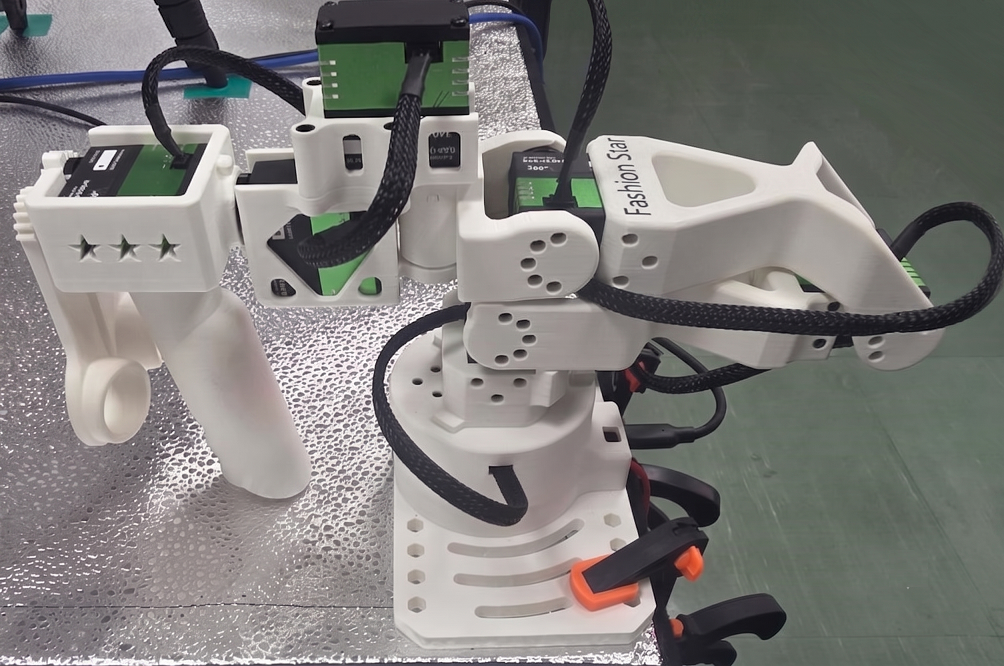 The leader arm: the one you move by hand to demonstrate the task.
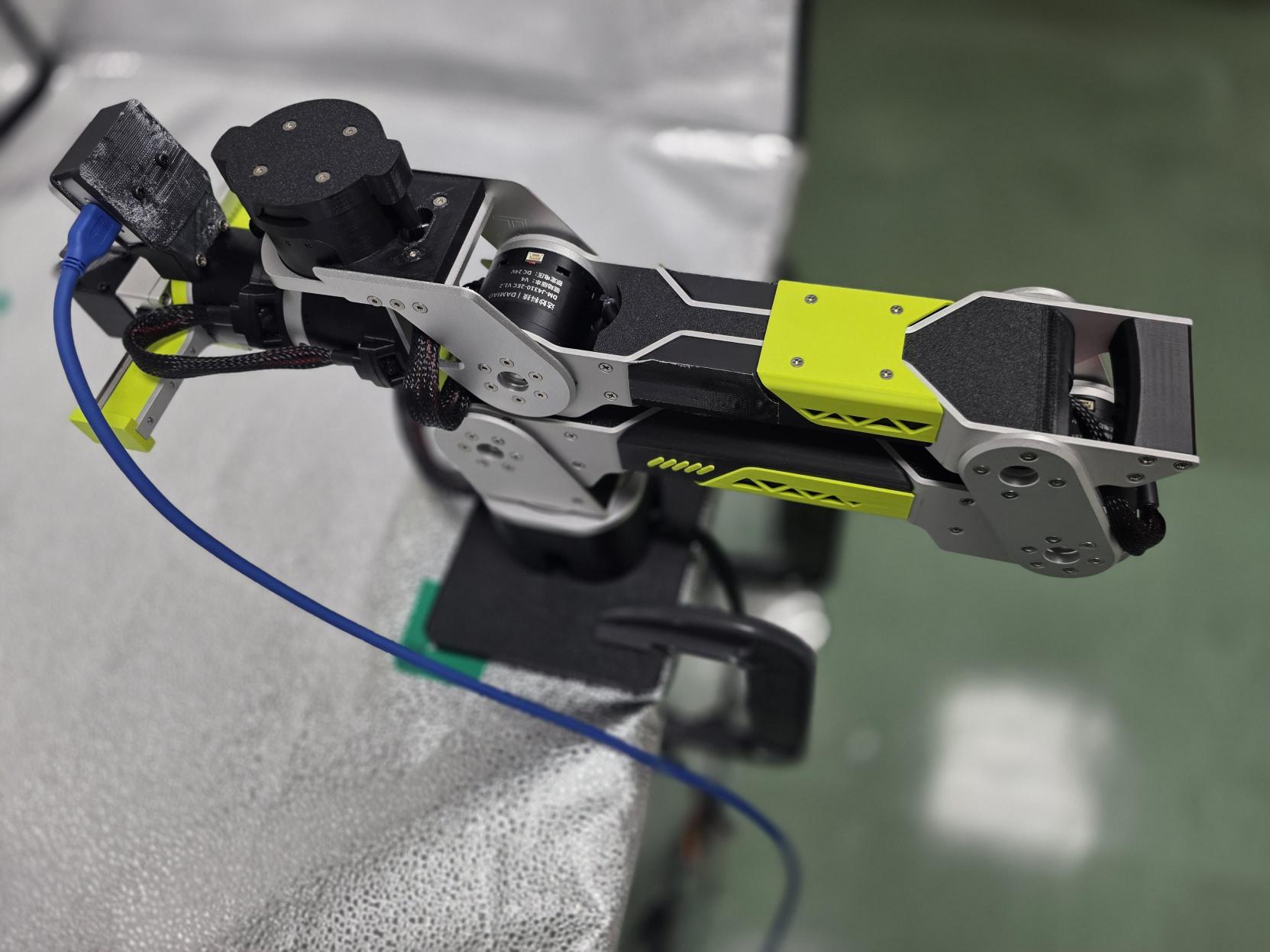 The follower arm: the one that handles objects and carries the wrist camera.
For B601 owners, calibration is quick and hands-off: lay the arm roughly in its zero position, run the calibration program, and it finishes on its own.
Your demonstrations are the training material — their quality decides everything
In this build, the task is identifying a colored block (red, green, or blue) by what the cameras see, then picking it up and placing it in a box. You move the leader arm by hand to demonstrate it; the instruction that drives it is plain language: "put the red block in the box." The follower mirrors you, and both cameras record everything: what they saw and how the arm moved, moment by moment. Repeat this and you have a set of demonstrations: the examples the model learns your task from. For a simple pick-and-place task like this one, around 100 demonstrations is a reasonable starting point; NVIDIA's own guidelines put single-step, fixed-location tasks in the ~100-trajectory range. Because the heavy lifting happened during pretraining, that modest number is usually enough.
This task is a particularly good fit for GR00T: a traditional controller could move to a fixed position, but it couldn't identify the right block from a language cue. The arm needs to understand "red" as a concept, then locate that block visually among others — exactly what a vision-language-action model is built to do.
The leader arm being guided by hand while the follower mirrors it and both cameras record.
Good demonstrations show variety, not repetition
- Vary where the object starts. If the block sits in the same spot every time, the robot learns "move here" and fails the moment it moves. Shift it around so the model learns to find it.
- Keep your motions smooth and deliberate. Jerky demonstrations teach jerky behaviour.
- Match your demonstrations to your real deployment conditions. If lighting or background will vary when the robot runs, show it that variation in training. If conditions are fixed, keep them fixed. The robot can only handle what it has seen.
- Cover the situations you actually care about. It won't be good at anything you never demonstrated.
Fine-tuning works on so few demos because the model already knows how objects behave
Fine-tuning goes from "generally good at manipulating things" to "good at your task." The reason so few demonstrations are enough: the model already learned how objects, grippers, and motion behave during large-scale pretraining. You're not teaching it to manipulate from scratch; you're pointing it at the specific job, and it folds that into everything it already knows.
Now a plain-language instruction runs the whole task
Once fine-tuned, you give the arm a plain-language instruction and it carries out the task on its own: finding the target block among others by color, picking it up, and placing it in the box, all from what the cameras show it. The demo below uses "put the blue block in the box" — the same policy also handles red and green with the corresponding instruction. Running this in real time requires a capable edge compute module; that's covered in the hardware section below.
The fine-tuned model running autonomously: identifying the blue blocks by color and placing both in the box.
⚠️ Safety first. Keep a hand near the power switch the first times you run a freshly trained policy — it can move in unexpected ways. Keep the workspace clear of hands and fragile objects before trusting it unattended.
The hardware is straightforward — integration is where most projects stall
The diagram below shows how the pieces connect across training and deployment:
flowchart TD
    subgraph train ["Training"]
        A["Leader Arm"] -->|"teleoperation"| D
        B["RealSense D405\nwrist"] -->|"record"| D
        C["RealSense D457\nfront"] -->|"record"| D
        D[("LeRobot Dataset")] --> E["GR00T N1.7\npost-training"]
        E --> F["Model Checkpoint"]
    end
    subgraph deploy ["Deployment"]
        F --> G
        B2["RealSense D405\nwrist"] -->|"stream"| G
        C2["RealSense D457\nfront"] -->|"stream"| G
        G["Jetson Thor"] -->|"real-time inference"| H["reBot B601"]
    end
You can source, mount, wire, and configure all of this yourself. But notice how many of this post's failure modes are really integration problems: a camera-name mismatch that silently breaks training, a nudged view that no longer matches what the policy learned, a compute setup that can't keep up in real time.
AVerMedia's SenseEdge Kit packages exactly this stack (RealSense D457 and D405 with NVIDIA Jetson Thor) and takes the integration burden off your hands:
- Pre-validated compatibility. The D405, D457, and Jetson Thor have been tested end-to-end with GR00T N1.7. You're not the first to wire this together.
- Camera sync and drivers handled out of the box. Camera configuration drift and synchronisation mismatch, two of the quietest failure modes in this post, are solved before you open the box.
- GR00T inference pipeline verified on reBot B601. The full training-to-deployment loop described in this post has been run on this hardware, at real-time inference speed on the Jetson Thor.
- Enterprise support included. If something doesn't work, there's a team to call — not a forum thread to dig through.
It's the difference between assembling the rig in this post and unboxing one.
Try it on your own task
If your job lands on the GR00T side of the spectrum (varied, vision-driven, commandable in plain language), the fastest way to find out whether it really works is to run it on a task of your own.
AVerMedia's SenseEdge Kit gives you the camera-and-compute stack from this build, pre-integrated and ready for GR00T inference, so you can skip the assembly and go straight to collecting demonstrations and training. Contact our sales team to discuss your use case.
Learn more
- AVerMedia SenseEdge Kit — the pre-integrated RealSense and NVIDIA Jetson Thor stack for deploying GR00T at the edge.
- NVIDIA Isaac GR00T — the model and its documentation.
- Seeed Studio reBot Arm B601 — hardware details and setup resources.
- LeRobot — the open-source project behind the teleoperation and dataset tooling used here.