Run Device Manager Demo
Prerequisites
Before running device_manager_demo, you first need to:
-
Install AVT SDK on your device:
See AVTSDK Environment Setup for details. The installation script will install everything you need.
-
Connect the cameras to the device
Run the Demo
The demo application demonstrates how to display the cameras available to you.
Steps
-
Create a script
init.shto configure the Wayland display environment1 for the demo:Then you can source the script in your terminal:
-
Run the device manager demo application. The application is installed to
/usr/bin, so you can run it directly with the following command: -
You may see a lot of GStreamer log messages on the command-line interface, but you can just ignore them. If you modify
GST_DEBUGto a larger number such asexport GST_DEBUG=3depending on your need, more log messages will pop up. For now, focus on the messages from the demo application.The application will display the list of the cameras that are currently connected to the device, as shown in the red rectangular region in the picture below.
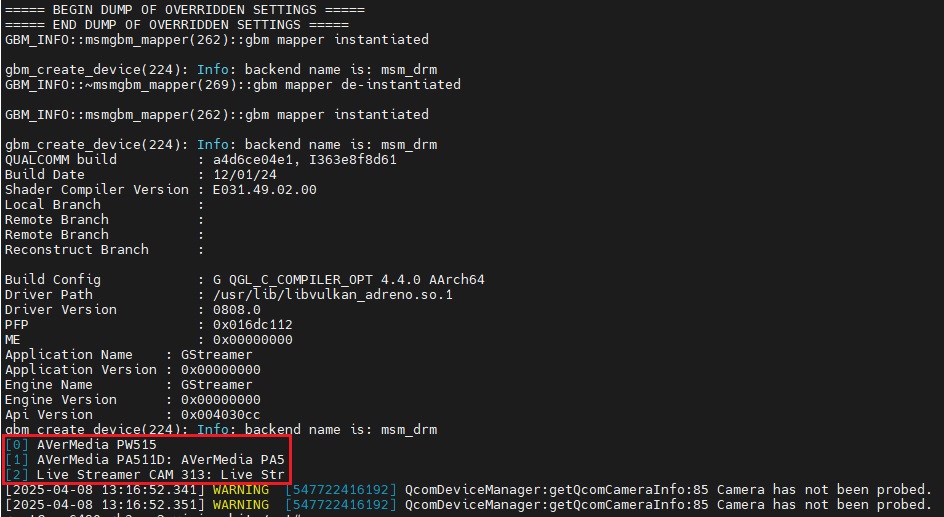
Cameras connected to the device.
-
The Wayland environment variables are required for all the demos, even when there's no visual display output, as they are essential for proper initialization of some underlying AVT SDK components and plugins. In general, it is recommended to always set them to prevent any potential issues. ↩